Legacy System Assessment & Modernisation

Understand the risks, options and practical next steps for ageing software your business has started to outgrow.

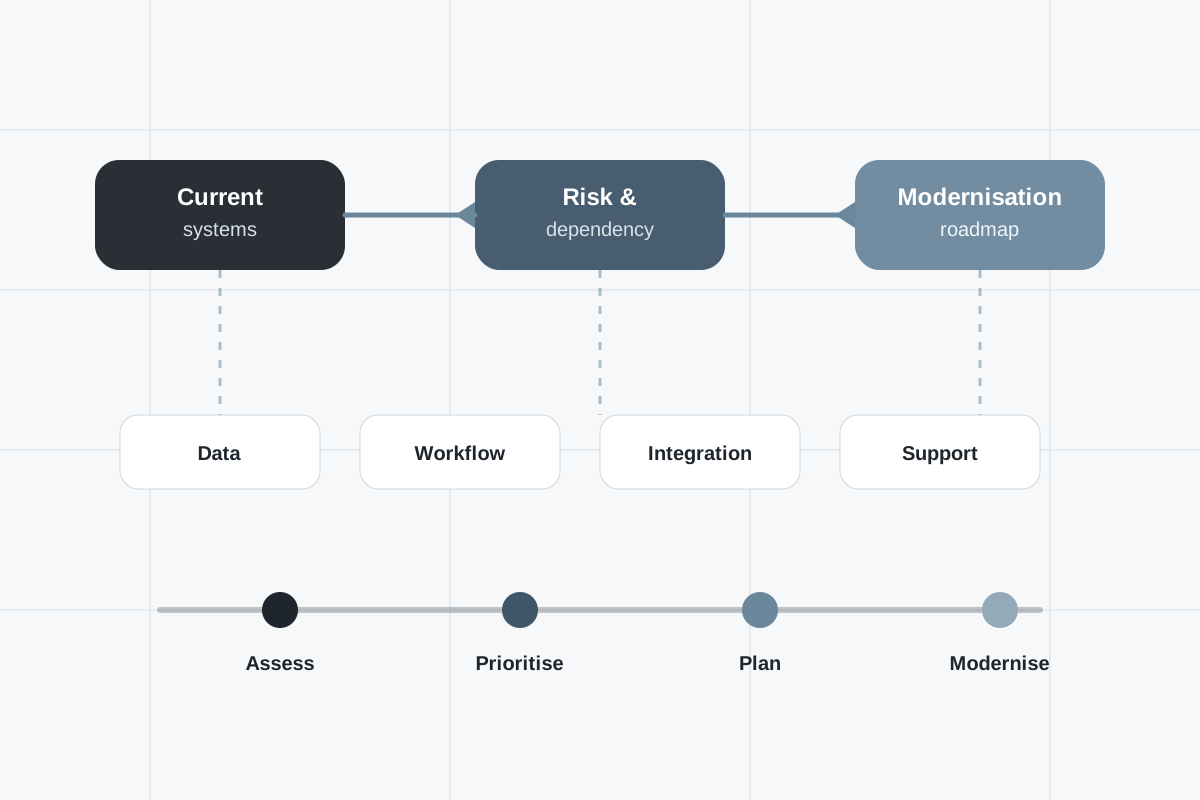
Blueprint-style diagram showing legacy systems being assessed, stabilised, integrated and modernised into reliable business software

Assess legacy systems before committing to a rebuild

Legacy systems often keep important parts of a business running long after they have become difficult to support, change or integrate.

They may still work day to day, but rely on ageing technology, manual workarounds, unsupported components, old databases, fragile integrations or knowledge held by a small number of people.

System Software helps UK businesses assess legacy systems and decide the most practical route forward. That may mean stabilising the current system, modernising it in stages, integrating it with newer platforms or replacing it with bespoke software.

The aim is to give you a clear, practical view of risk, value and options before you commit to major change.

When a legacy system assessment makes sense

You may not need to replace an old system immediately. But you do need to understand the risk if the software is becoming harder to maintain or increasingly important to business operations.

A legacy system assessment may be useful if:

  • Your business relies on old software that only a few people understand.
  • The system is slow, fragile, unsupported or difficult to change.
  • You are using spreadsheets, manual checks or workarounds to compensate for system limitations.
  • The software does not integrate properly with ERP, CRM, WMS, finance, cloud or reporting platforms.
  • Reporting depends on exports, manual updates or direct database access.
  • There is uncertainty about security, hosting, backups, data ownership or disaster recovery.
  • Your current supplier is no longer available, responsive or suitable.
  • You know the system needs modernising but are not ready to start a full replacement project.

What we assess

We look at the system from both a technical and business perspective. The question is not just “is the software old?” but “what risk does it create, what value does it still provide, and what should happen next?”

  • Business processes supported by the legacy system
  • Users, workflows, pain points and operational dependencies
  • Technology stack, hosting, database and infrastructure
  • Codebase condition and maintainability where accessible
  • Security, permissions, access control and backup arrangements
  • Data quality, ownership, reporting and export requirements
  • Integration points with ERP, CRM, WMS, finance, cloud or custom systems
  • Manual workarounds and spreadsheet-heavy processes
  • Known defects, performance issues and operational risks
  • Vendor, support and knowledge risks
  • Short-term stabilisation options
  • Longer-term modernisation or replacement routes

Modernise, integrate, stabilise or replace?

Legacy system work should not start with an assumption that everything needs to be rebuilt.

Sometimes a system can be stabilised and improved. Sometimes the best first step is integration with newer platforms. Sometimes a staged modernisation is safer than a big-bang replacement. In other cases, the right answer is a clean rebuild.

We help you compare the options clearly.

What a legacy system assessment can give you

A good assessment should give decision-makers enough clarity to move forward without guessing.

  • A clear view of current system risks and dependencies
  • A better understanding of what the system actually does for the business
  • Identification of quick wins, stabilisation work and urgent risks
  • A view of whether to improve, integrate, modernise or replace
  • A staged roadmap that avoids unnecessary disruption
  • Better understanding of data, reporting and integration gaps
  • Practical recommendations for security, hosting and support
  • A stronger basis for budgeting, planning and prioritisation

Built for operational systems

We are especially well suited to legacy systems that support important business operations: order management, stock, warehouse processes, production workflows, job tracking, reporting, finance-adjacent tools or customer service processes.

These systems often cannot simply be switched off. They need careful assessment, migration planning, data handling and a realistic transition path.

We take the time to understand how the system is used in the real world before recommending what should happen next.

Our approach

1

Understand

We review the business process, users, operational dependencies, pain points and reasons the system has become difficult to manage.

2

Assess

We assess the technology, data, integrations, hosting, security, support model, risks and maintainability where access allows.

3

Options

We identify practical options, including stabilisation, integration, staged modernisation, cloud migration or replacement.

4

Roadmap

We provide a clear route forward so you can make decisions about risk, cost, timing and next steps.

A lower-risk route to modernisation

Legacy modernisation does not have to mean a disruptive all-or-nothing project.

In many cases, the right route is staged: stabilise the current system, understand the data, remove the highest-risk dependencies, improve integration, replace the most painful workflows and then move towards a modern platform when the business is ready.

This reduces risk, gives users time to adapt and helps the business keep running while the technology improves.

Frequently asked questions

What is a legacy system assessment?

A legacy system assessment reviews an ageing software system to understand its business value, technical condition, risks, data, integrations, support needs and options for improvement, modernisation or replacement.

Does a legacy system assessment mean we have to replace the system?

No. The assessment may recommend stabilisation, integration, staged modernisation, cloud improvements or continued support. Replacement is only one possible route.

What types of legacy systems can you assess?

We can assess many types of business-critical legacy systems, including older custom software, Access databases, old .NET applications, internal operational tools, unsupported systems and platforms with fragile integrations.

Can you assess a system if documentation is poor?

Yes. Poor documentation is common with legacy systems. We can review the system, data, workflows, users and codebase where available to build a clearer picture of how it works.

Can you help modernise a legacy system in stages?

Yes. Staged modernisation is often safer than replacing everything at once. It can include stabilisation, integration, data improvements, workflow replacement, cloud migration and gradual rebuild work.

Can you integrate a legacy system with modern platforms?

Yes, where practical. Some legacy systems can be integrated using APIs, database connections, file exchanges, middleware or scheduled synchronisation. If integration is too risky, replacement may be better.

Can a legacy system assessment help with budgeting?

Yes. An assessment can help clarify risk, scope, priorities and likely routes forward, giving the business a better basis for planning budget and timescales.

What happens after the assessment?

The next step may be stabilisation, retained support, system integration, cloud improvements, data work, bespoke software development or a full legacy system replacement project.