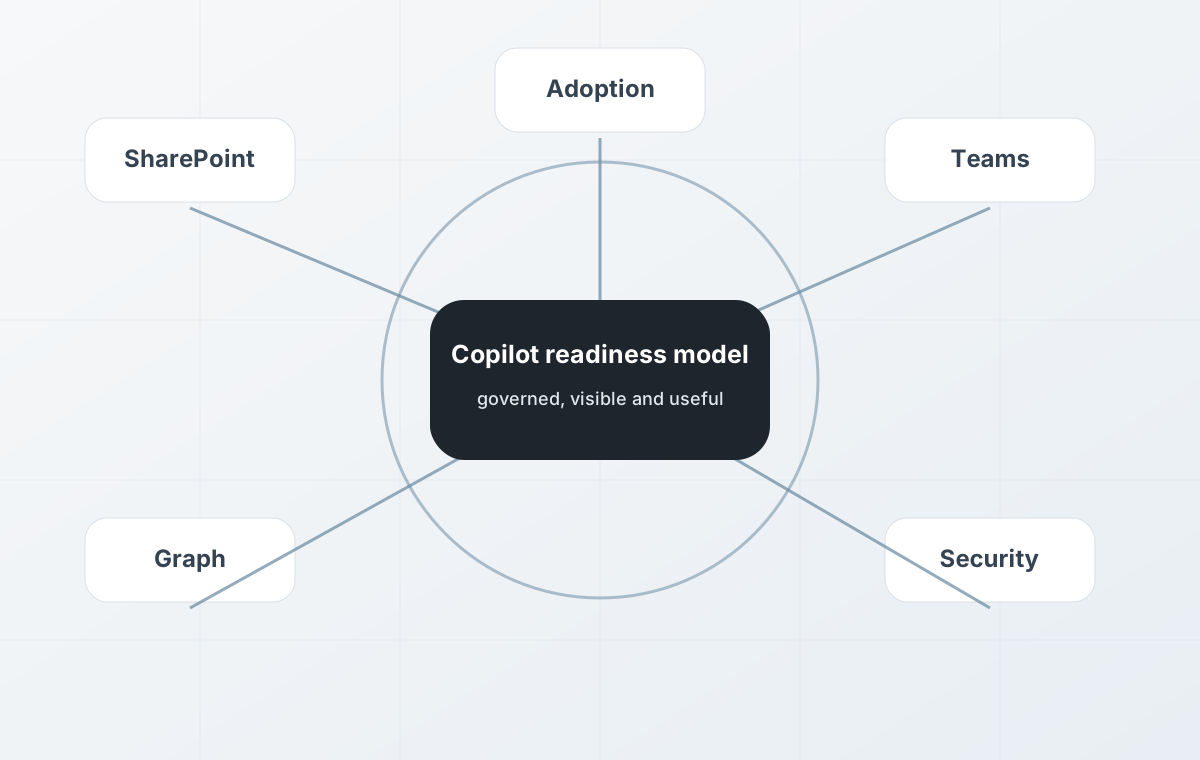
Copilot works best when your data, permissions and workflows are ready
Microsoft Copilot can help teams work more efficiently across Microsoft 365, but successful adoption depends on more than assigning licences.
If files are poorly organised, permissions are too broad, SharePoint sites are cluttered, sensitive information is overshared or business processes are unclear, Copilot may create risk or deliver limited value.
System Software helps UK businesses prepare for Microsoft 365 Copilot, improve Microsoft 365 foundations, review data and permissions, and design practical Copilot Studio agents where they add value.
The goal is not simply to switch Copilot on. The goal is to make sure Copilot can work with the right information, under the right controls, in workflows that genuinely help the business.
When Microsoft Copilot readiness makes sense
Copilot readiness is useful when your organisation is considering Microsoft 365 Copilot, planning a rollout, or already using Copilot but not seeing the expected value.
It may be time to review Copilot readiness if:
- You are unsure whether your Microsoft 365 tenant is ready for Copilot.
- SharePoint, OneDrive or Teams content has grown without clear governance.
- Permissions, sharing and access controls may expose too much information.
- Important documents are duplicated, outdated or difficult to find.
- Teams use Microsoft 365 heavily, but workflows still depend on manual work.
- You want to use Copilot Studio agents for internal knowledge or business processes.
- You need to connect Copilot or agents to approved business systems and data sources.
- You want practical AI adoption without creating unnecessary security or compliance risk.
What we assess
We review the practical foundations that affect whether Microsoft Copilot will be useful, safe and maintainable.
- Microsoft 365 tenant readiness
- SharePoint, OneDrive and Teams structure
- File organisation, ownership and content quality
- Permissions, sharing and oversharing risks
- Microsoft Entra ID, users, groups and access controls
- Security, compliance and governance configuration
- Copilot licence readiness and rollout planning
- Business workflows that could benefit from Copilot or automation
- Opportunities for Copilot Studio agents
- Integration needs across Microsoft 365 and operational systems
Microsoft 365 Copilot, Copilot Studio or bespoke AI?
Different AI options suit different business problems.
Microsoft 365 Copilot is often a good fit for helping staff work with Microsoft 365 content, communication, meetings, documents and knowledge.
Copilot Studio is useful where the business needs agents, guided workflows or controlled access to approved tools and data sources.
Bespoke agentic AI or custom workflow automation may be more appropriate when the process is highly specific, needs a custom user interface, sits outside Microsoft 365, or requires deeper integration with operational systems.
- Agentic AI and workflow automation where AI needs to act across defined business processes.
- Custom workflow automation software where manual approvals, handovers and tasks need more structure.
- System integration where AI or Copilot agents need to connect with existing business systems.
- ERP, CRM, WMS and finance integration where core operational systems need cleaner data flow.
- AI readiness assessment if the right route is not yet clear.
Copilot readiness is often a Microsoft 365 governance issue
Copilot can surface information that users already have permission to access. That makes permissions, sharing controls, content lifecycle and governance especially important.
Before wider rollout, it is sensible to review who can access what, which sites and files are current, where sensitive information sits, and how content should be organised or restricted.
This often overlaps with Microsoft 365 and Azure migration, cloud and infrastructure services, security, identity and data governance.
Copilot Studio agents and business workflows
Copilot Studio can be used to create agents that support specific business processes, answer questions using approved knowledge, or connect to tools and workflows.
A useful agent needs a clearly defined purpose, reliable knowledge sources, appropriate permissions, tested workflows, monitoring and human escalation where needed.
We can help identify where Copilot Studio agents make sense and where a different route — such as custom workflow automation or bespoke software — would be more reliable.
- Internal knowledge assistants
- Policy, process or support agents
- Document and request triage
- Guided workflow assistants
- Agents that prepare summaries, checks or recommendations
- Agents connected to approved business data sources
- Human-in-the-loop workflows for approvals or escalation
What a Copilot readiness project can include
The work depends on your current Microsoft 365 environment and how you want to use Copilot.
- Microsoft 365 Copilot readiness review
- SharePoint and OneDrive content review
- Permissions, sharing and access-control review
- Microsoft Entra ID and group structure review
- Security and governance recommendations
- Copilot rollout planning by team or use case
- Copilot Studio agent opportunity assessment
- Workflow and process mapping
- Data and integration readiness review
- User adoption, guidance and support planning
Our approach
Assess
We review your Microsoft 365 environment, content, permissions, users, workflows and intended Copilot use cases.
Prepare
We identify improvements around governance, content structure, access control, security and data readiness.
Design
We define practical Copilot use cases, rollout steps, Copilot Studio agent opportunities and workflow controls.
Support
We help with adoption, improvement, agent delivery, monitoring and ongoing support where needed.
Built around safe, practical AI adoption
Copilot adoption should create value without exposing information, confusing users or automating unclear processes.
Our approach is deliberately practical: understand the business, clean up the foundations, identify useful use cases, and only then implement Copilot agents or AI-enabled workflows where they make sense.
This work can also sit alongside unified data, digital transformation, legacy system assessment and modernisation, and retained software development and support.
Frequently asked questions
What is Microsoft Copilot readiness?
Microsoft Copilot readiness is the process of reviewing whether your Microsoft 365 environment, data, permissions, security, governance and workflows are ready for safe and useful Copilot adoption.
Is Copilot readiness just a licence check?
No. Licensing is only one part of readiness. Data access, SharePoint and OneDrive structure, permissions, sharing controls, governance, user adoption and workflow design all affect whether Copilot will be useful and safe.
Why do permissions matter for Microsoft Copilot?
Copilot can work with information that users already have permission to access. If permissions are too broad or content is poorly governed, Copilot may surface information that should have been restricted.
What is Copilot Studio?
Copilot Studio is Microsoft’s platform for creating agents and AI-assisted workflows. It can be used to build agents that work with approved data sources, tools and business processes.
Do we need Copilot Studio or bespoke AI?
It depends on the use case. Copilot Studio may be suitable for Microsoft 365-centred agents and workflows. Bespoke AI or custom workflow automation may be better for highly specific operational processes or deeper integration needs.
Can Copilot connect to business systems?
Copilot Studio agents can connect to approved tools, services and data sources, but the right integration approach depends on the system, security requirements and business process.
Can you help clean up Microsoft 365 before Copilot rollout?
Yes. We can help review Microsoft 365 structure, SharePoint and OneDrive content, permissions, identity, security, governance and rollout readiness before wider Copilot adoption.
Can this lead into wider AI or automation work?
Yes. Copilot readiness can lead into Copilot Studio agents, AI readiness assessment, workflow automation, system integration, unified data work or bespoke agentic AI implementation.