Manual search and collation
Teams spend too much time finding documents, checking folders, searching mailboxes, exporting data or asking colleagues where information is held.
Improve how information requests are captured, tracked, reviewed and fulfilled across complex organisations.
We design practical systems that connect request management, document discovery, workflow automation, reporting and governance — helping teams reduce manual effort while improving control and auditability.
The problem
Information requests often depend on documents, records and data held across SharePoint, email, file stores, business systems, local processes and individual knowledge.
That can make every request feel different. Teams have to locate information, check versions, review content, coordinate approvals, prepare response packs and evidence what happened — often with limited visibility across the full lifecycle.
The result is manual effort, inconsistent handling, slower responses and avoidable operational or compliance risk.
When it makes sense
You do not always need to replace existing systems. But it may be time to review the process if information handling has become difficult to control, measure or scale.
Teams spend too much time finding documents, checking folders, searching mailboxes, exporting data or asking colleagues where information is held.
Requests are handled differently by team, site or department, making ownership, escalation, review and approval harder to manage.
It is hard to evidence who accessed, reviewed, changed, approved or shared information during the request lifecycle.
Relevant content may sit across Microsoft 365, line-of-business systems, file stores, PDFs, spreadsheets and legacy platforms.
Request volumes, governance expectations and disclosure obligations increase, but the underlying process has not kept pace.
Managers cannot easily see request status, workload, bottlenecks, risk, response times or process performance.
What we deliver
The right solution depends on your current systems, governance requirements and operational constraints. We design around what already works, then improve the parts that create effort, delay or risk.
Core capabilities
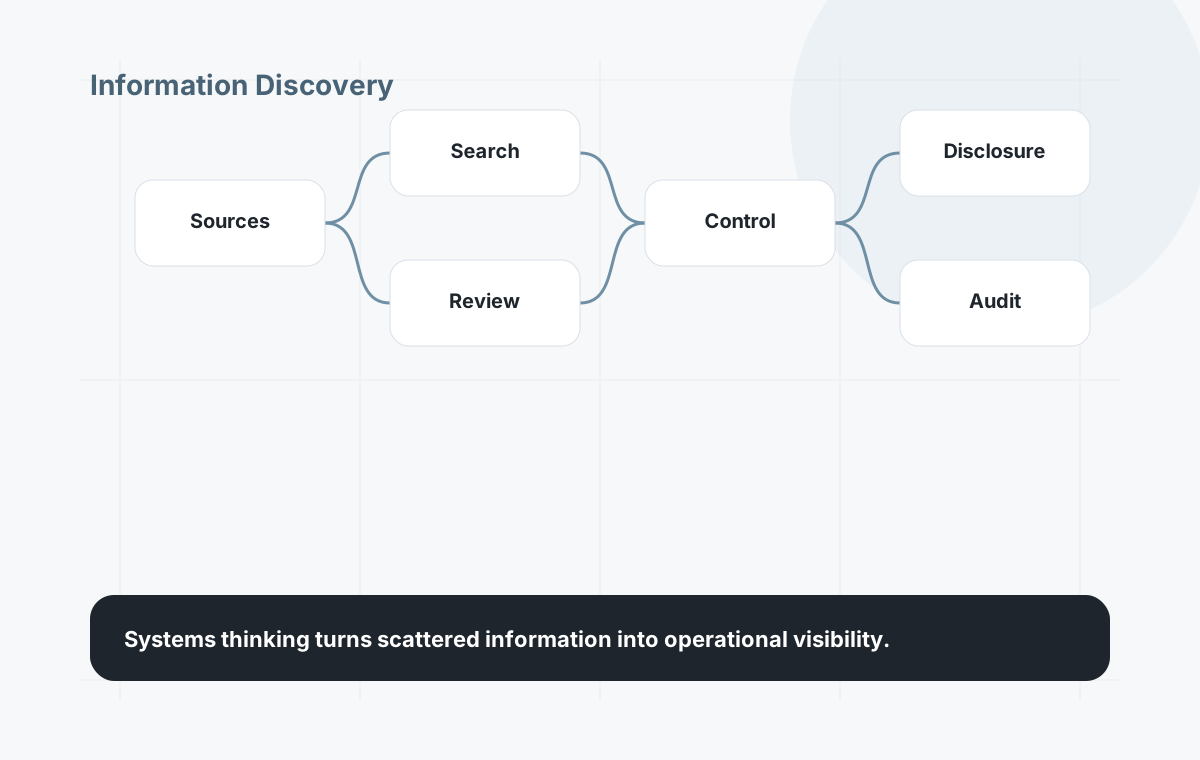
Improve how teams locate relevant documents, records and data across Microsoft 365, file stores, business systems and legacy repositories.
Capture requests in a consistent way, assign ownership, track status, manage SLAs and maintain clear visibility from intake to response.
Automate repeatable steps such as routing, notifications, handovers, approvals, reminders and evidence capture.
Support structured review, version control, redaction, disclosure preparation and response-pack creation using appropriate tooling.
Build in access control, audit trails, classification, retention and evidence of decisions across the request lifecycle.
Give leaders better visibility of workload, response times, bottlenecks, risk indicators and operational performance.
How it works
We help turn fragmented activity into a connected process that is easier to manage, improve and evidence.
Microsoft, data and AI
Many organisations already have useful foundations in Microsoft 365 and Azure. We help turn those foundations into structured workflows, governed information environments and practical automation.
Use SharePoint, Teams, Exchange and Microsoft 365 structures more effectively for content, collaboration and information handling.
Use Power Platform where appropriate for intake forms, workflow automation, approval steps, status tracking and operational dashboards.
Consider classification, retention, audit, eDiscovery and compliance requirements as part of the overall information architecture.
Connect Microsoft 365 with ERP, CRM, WMS, finance, legacy systems, file stores and other operational platforms where needed.
Apply AI where it improves search, classification, extraction, summarisation or response preparation — with human review and control.
Review permissions, content structure, data access and workflow suitability before introducing Copilot or AI-assisted processes more widely.
Practical design
The answer is not always a large new platform. A better route may be a focused request management layer, improved Microsoft 365 governance, a SharePoint restructure, Power Platform automation, bespoke workflow software, system integration or a staged roadmap that combines several of these.
We start by understanding the current process, the systems already in place, the governance constraints and the people who need to use the solution day to day. Then we recommend the route that is most practical to deliver and support.
Our approach
For early-stage or complex environments, we usually recommend starting with a focused discovery engagement. That gives you a clearer view of current processes, solution options, trade-offs and implementation priorities before committing to a technology route.
Designed for scale
Information request management becomes harder when processes vary by department, site, business unit or repository. We design systems that create consistency without ignoring the operational differences that matter.
Outcomes
Less time spent searching, chasing, copying, collating, checking and preparing information manually.
Better ability to identify relevant documents, records and associated data across the organisation.
Clearer intake, ownership, review, approval, response and closure steps across the request lifecycle.
Better reporting across request volumes, status, workload, bottlenecks, response times and risk.
Improved control over access, review, retention, audit evidence, approvals and response preparation.
A process and platform that can evolve with future operational, regulatory and AI-enabled requirements.
Why System Software
Frequently asked questions
Information request management is the structured handling of requests that require information to be located, reviewed, prepared, approved and shared. It often combines request intake, case management, information discovery, document workflows, reporting and audit controls.
Yes. Many solutions can build on Microsoft 365 foundations such as SharePoint, Teams, Exchange, Power Platform, Microsoft Purview and Azure, while integrating with other business systems where needed.
Not always. A practical solution may integrate with existing PDF, redaction, records management, document storage or line-of-business tools rather than replacing them unnecessarily.
Yes, where the foundations are right. AI can help with classification, extraction, summarisation, semantic search and draft response preparation, but it should be applied with permissions, governance, human review and auditability.
If the route is not yet clear, a discovery engagement is usually the better first step. It helps assess the current process, identify options, compare trade-offs and define a practical roadmap before committing to a specific platform or build.
Ready to talk?
A short conversation is enough to understand whether you need discovery, workflow automation, Microsoft 365 improvements, system integration or a more tailored request management platform.
Book a consultation →